Veinminer (ore veins)
Veinminer lets you break an entire connected ore vein when mining with a pickaxe that has the Veinmine enchant. This is separate from Timberella, which handles trees with axes.
Requirements
- A pickaxe with Veinmine (applied at an anvil)
- Sneak while breaking the first ore block
- A correct pickaxe for the ore type (Fortune / Silk Touch behave normally)
Vein size is capped at 64 blocks per activation. Durability is consumed per block broken.
How to get the enchant
The Veinmine enchant cannot be rolled on an enchanting table or bought from villagers. You craft it at a smithing table in two steps (each step needs a Netherite Upgrade Smithing Template), then apply the book at an anvil.
Recipe only
RealmStriders Veinminer Gate enforces this on the live server — Veinmine only comes from the smithing recipe above. If you see a villager trade or enchanting-table roll that looks wrong, report it to staff.
The smithing table has three input slots. Place items in the correct slot — putting the book in the wrong slot during step 1 is the most common mistake.
| Step | Template (top) | Base (left, under template) | Addition (right) |
|---|---|---|---|
| 1 | Netherite Upgrade Smithing Template | Book | Netherite Ingot |
| 2 | Netherite Upgrade Smithing Template | Diamond Pickaxe (consumed) | Strider Mining Tome |
Visual walkthrough
Follow the screenshots in order. Gather everything in the materials image before you start smithing.
What you need (before you start)
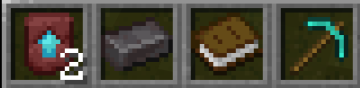
You need:
- 1× Netherite Ingot
- 2× Netherite Upgrade Smithing Template (one per smithing step)
- 1× Book (plain, not enchanted)
- 1× Diamond Pickaxe (consumed in step 2)
- A smithing table and an anvil (plus XP for the anvil)
Gather two templates first
Both smithing steps require a Netherite Upgrade Smithing Template. Craft or find both before you begin so you are not stuck halfway through.
Step 1 — Craft the Strider Mining Tome
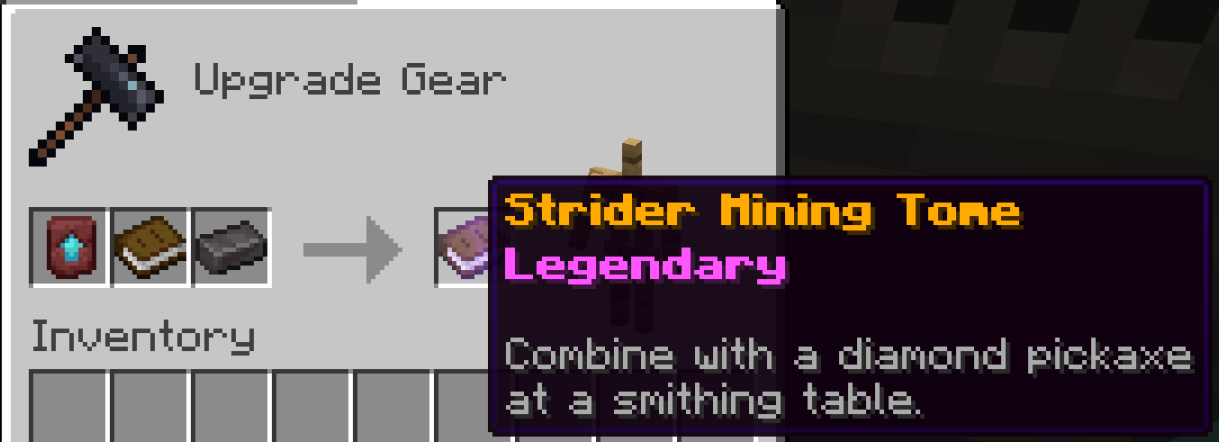
| Slot | Item |
|---|---|
| Template | Netherite Upgrade Smithing Template |
| Base (left) | Book — not in the right slot |
| Addition (right) | Netherite Ingot — not a block |
Different from the Netherite Backpack
The Netherite Backpack still uses a Netherite Block at the smithing table. Veinminer step 1 only needs a Netherite Ingot.
Result: a Strider Mining Tome (gold name, legendary rarity, enchantment glint).
Check your tome
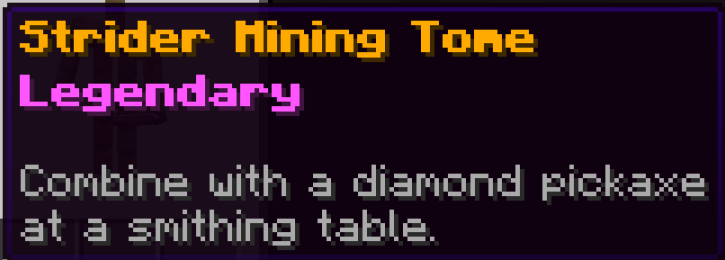
Your tome should show Strider Mining Tome in gold, Legendary in pink, and the hint: Combine with a diamond pickaxe at a smithing table.
Step 2 — Craft the Veinmine enchanted book
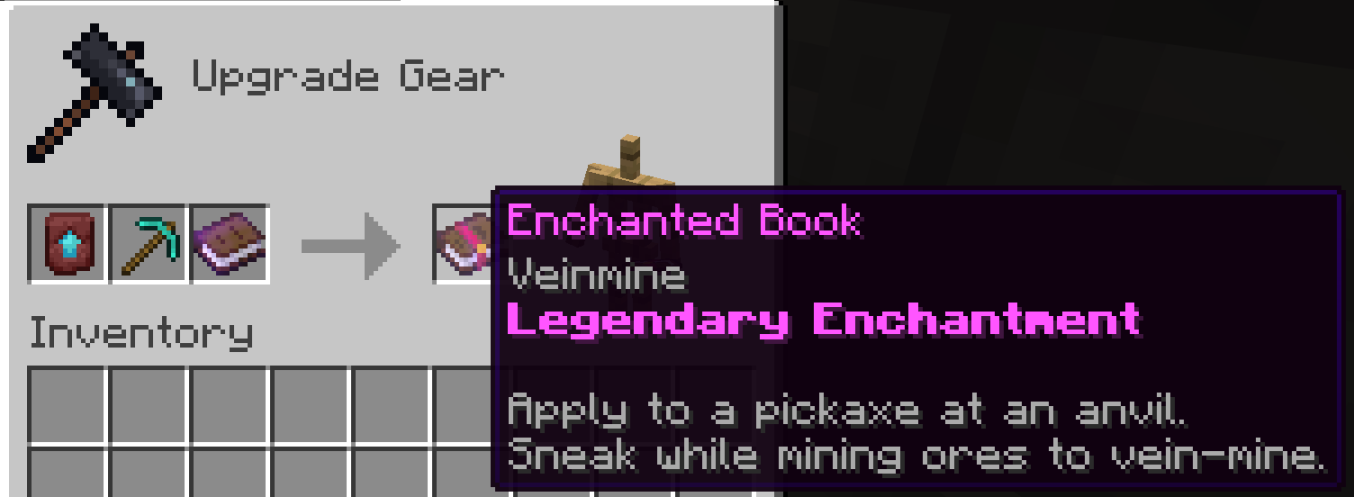
| Slot | Item |
|---|---|
| Template | Netherite Upgrade Smithing Template (reddish template with blue arrow — not the tome) |
| Base (left) | Diamond Pickaxe (any durability; consumed) |
| Addition (right) | Strider Mining Tome from step 1 — a plain book will not work |
Result: an enchanted book with Veinmine, labeled Legendary Enchantment, and lore explaining anvil use and sneak-to-vein-mine.
Step 3 — Apply at an anvil
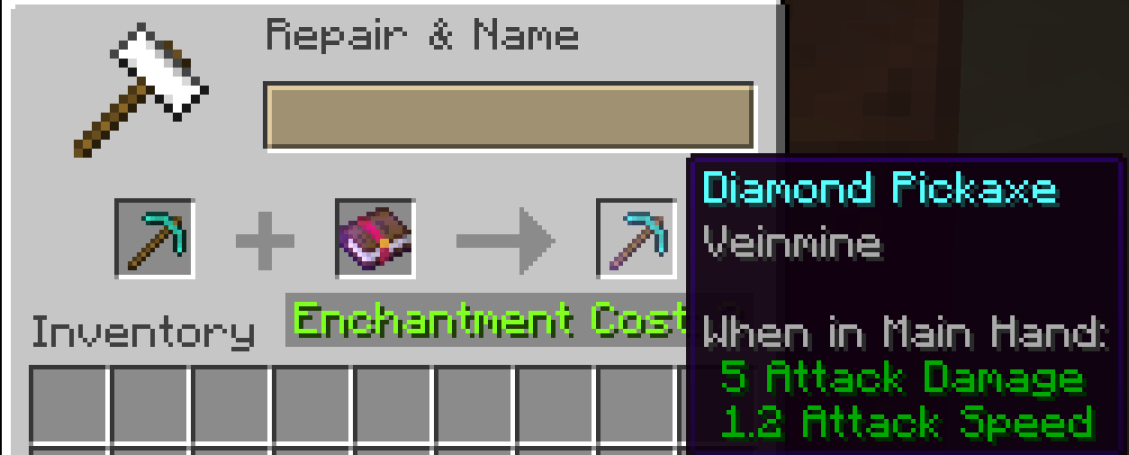
Place your Diamond Pickaxe in the left slot and the Veinmine enchanted book in the middle slot. Take the enchanted pickaxe from the output (costs XP).
Your pickaxe tooltip should list Veinmine under the item name. Sneak while mining the first ore in a vein to break the connected cluster.
Tips
- Timberella still handles whole-tree chopping with axes — Veinminer does not affect logs.
- Ancient debris, deepslate ores, and nether ores are included in the default ore group.
- If nothing chains, check that you are sneaking and that your pickaxe has the enchant.
Staff
Mods can tune behavior with /veinminer settings and block groups with /veinminer blocks. See the mod dashboard Commands page for details.